DTF Studio, the Halftone Editor for DTF
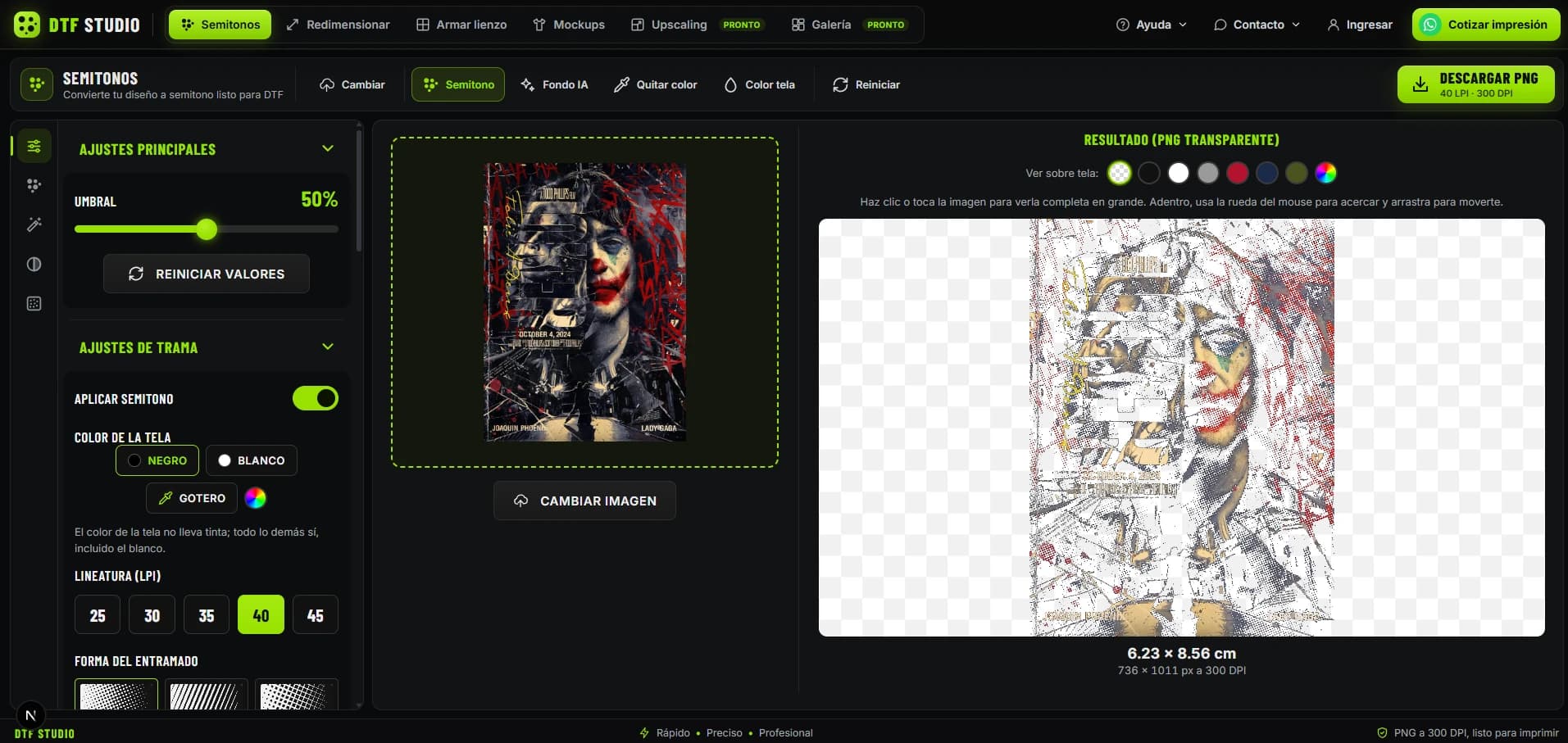
A web app that gets a design ready for DTF printing without opening Photoshop. Upload your image and turn it into a halftone by adjusting threshold, line screen (LPI) and dot shape; preview it on fabrics of different colors; remove the background with AI, resize, build the sheet and download a transparent 300 DPI PNG. If you'd rather have it printed for you, request a quote on WhatsApp from the same app.
300 DPI PNG
Transparent and print-ready
Key Features
The whole flow, from image to print file
Adjustable Halftones
Turn any image into a halftone by controlling threshold, line screen (25 to 45 LPI) and screen shape: dots, lines or cross-hatch.
Fabric Preview
See the result on black, white, gray, red, blue, green or a custom color picked with the eyedropper, and avoid surprises when printing.
AI Background Removal
Remove the image background in one click and keep just the design on transparency.
Remove Color
Drop a specific color from the design, handy for flat backgrounds that shouldn't get any ink.
Resize & Build Sheet
Set the real size in centimeters and arrange several designs on one sheet to make the most of the film.
Print-Ready Download
Export a transparent 300 DPI PNG with exact dimensions, and request a print quote on WhatsApp if you don't own a printer.
Tech Stack
Image processing right in the browser
Challenges and Solutions
Technical problems the tool solves
White Takes Ink Too
In DTF, white is printed as a layer of ink, so a halftone designed for white fabric fails on dark fabric.
Heavy Images in the Browser
Processing a 300 DPI halftone on a large image freezes the UI if done on the main thread.
Printing What You See
A halftone that looks great on screen can come out clogged or lose detail once printed.
A Tool for Non-Designers
Most people who print DTF don't master Photoshop or halftone curves.
Try It Live
DTF Studio is live and running. Jump in, upload your design and download your print-ready halftone.
Need a custom web tool?
I build apps that automate your business's work, from image editors to complete systems